"Pathways" Project

"Pathways" is an open project for universities in "Somestate" to provide
students with a fully-featured guided educational career planning tool
enabling them to develop a personalized map for an academic path, skills
path and experience path. It features an integrated environment that
bridges different technology solutions into a single user experience.
It also features a student relationship management system that supports
the student engagement lifecycle with a faculty dashboard that provides
analytics and alerting tools to help shape student behavior.
My roles in the project are visual, user experience and web design for the Pathways project, web portal and mobile app. Due to the extraordinary scope of this project, research such as card sorting and weekly user testing sessions were not a part of my responsibilities, but coordinated by the funding institution.
PROJECT HIGHLIGHTS
Requirements for the project were guided by, among others, by "Campus-Based Practices for Promoting Student Success" Research; "Creating Pathways to Prosperity, A Blueprint for Action"; "Understanding Dropouts: Statistics, Strategies, and High-Stakes Testing"; "Factors Affecting Students’ Decision to Drop Out of School" Study. Guidelines included "Factors Affecting Students’ Decision to Drop Out of School" Study. Strategic Direction from the "Somestate" Center for Student Success.
REQUIREMENTS INCLUDE:Exploring College Capabilities
Career Inventory: Uses student responses to questions about
job preferences to identify potential careers (using Department of
Labor research and statistics.)
Degree Explorer: Displays the programs available at your college,
mapped to specific careers.
Contact List: Provides who to contact at the college and how
to get a hold of them.
Other Assessments: Assists a student in learning his or her
personality, learning preferences, online readiness, etc.
Pathway Planning Tools
Assessments: Collects metadata to help students make informed
decisions concerning his or her future.
Career Mapped to Major: Maps a students college plan to a
specific Career.
Goal Setting: Guides the student to creating a goal aligned
with career, major, and time table.
Financial Plan: Directs the student to identify true cost
of education and understand the long term effect of student loans.
Progress Tools
Progress Bar: Shows the student’s progress toward his or her
goal.
Goal Display: Displays their goal at all times which increases
motivation.
Class View: Provides a focused view of the classroom context
including important dates, contact information, assignments, and
progress.
To Do: Uses best practices in project management to help a
student keep on track of his or her work flows.
Calendar: Provides a single view of upcoming work that can
be easily pivoted between daily, weekly, monthly, or semester.
Learning Plan: Aligns each class with the needed knowledge,
skills, and abilities for the student’s chosen career path.
Communication Tools
Messaging: Provides a single environment to handle all of
a students educational communications.
Help Tickets: Helps a student quickly get the answers they
need, or find the person who can help them through an educational
roadblock or personal crisis.
Early Warning: Notifies advisors, coaches, and others that
there is a problem before it becomes critical.
Campus News: Gives the student constant updates on social,
academic, and career up-dates from around the campus.
SHOWN
- Users
- Student Experience Map
- Pathways Project Sitemap
- Pathways Project Requirements Phase Scope
- Pathways Navigation/Interface
- My Pathway, Main Wireframe
- Cards States Sample
- Faculty Course Overview Wireframe
- Student Course Overview Wireframes
- Sample of SVG Icon Font Set
- Mobile App
Users
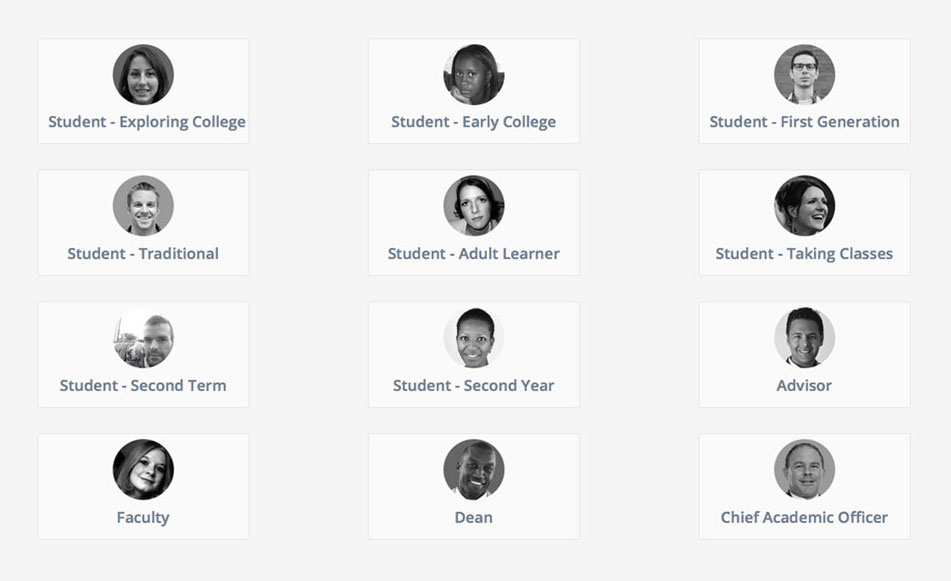
Twelve unique Pathways users personas were identified. For student users, motivation, student level, and student status help provide an adaptive experience by allowing users to initially self-elect, and then is refined through choices and predetermined criteria within the pathway itself. Non-student users include advisors, faculty, deans, and other academic officers. Below, a sample of personas used for testing.
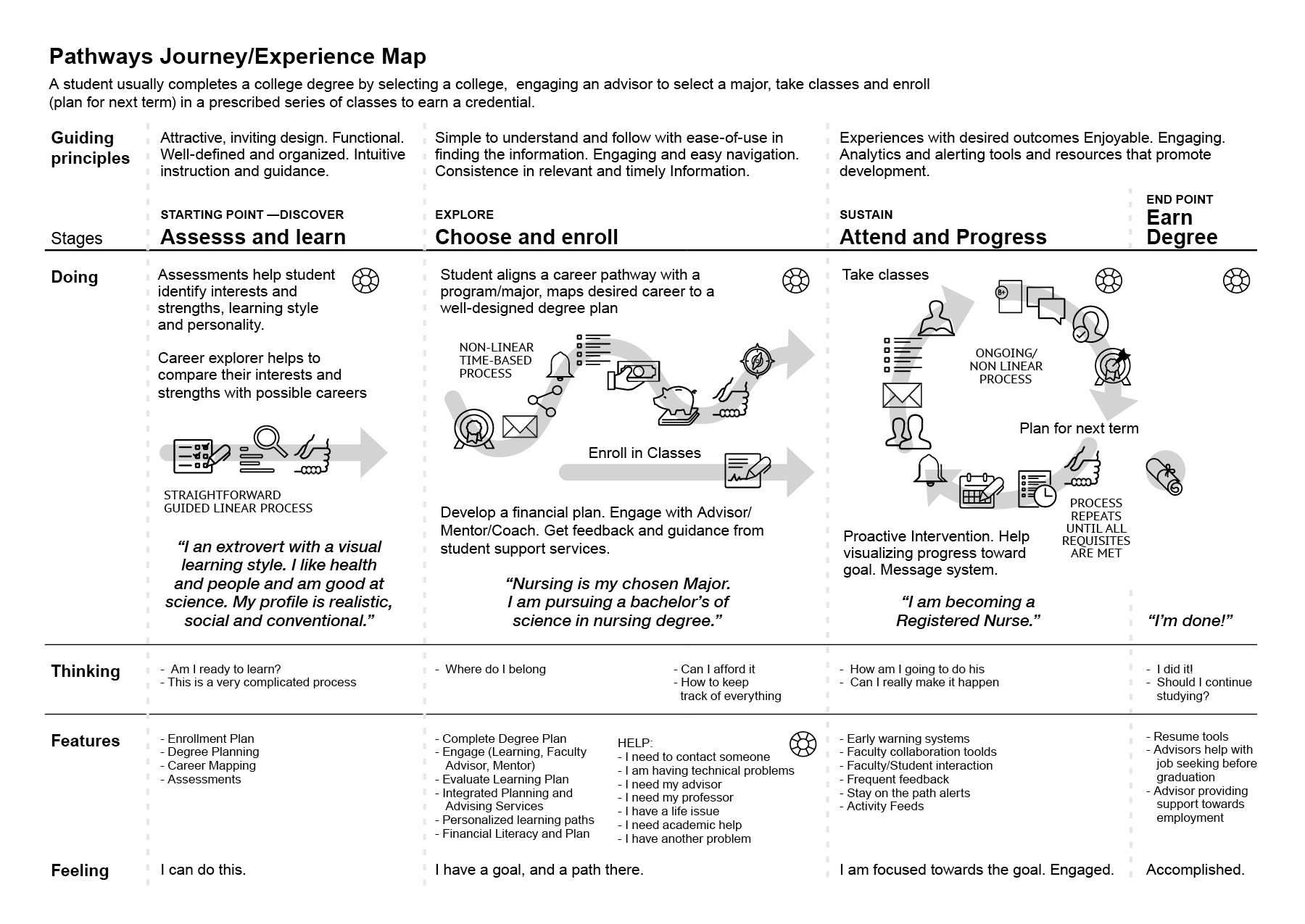
Student Experience Map
Pathways student experience journey requires the integration of different technology solutions into a single, but adaptive user experience. Mirroring in the map the student's journey through the attending college experience while considering his feelings and thoughts, it was possible to then align functions and technology to it. Student users scenarios developed (but not included here) considered students exploring college, registered, starting college, continuing college/taking classes, adult learner, registered, transitioning to next term, transferring colleges, and finishing degree, and graduating. On "Pathways", the user will move through the stages of his experience resolving thoughts and feelings while reaching his goal.
∧
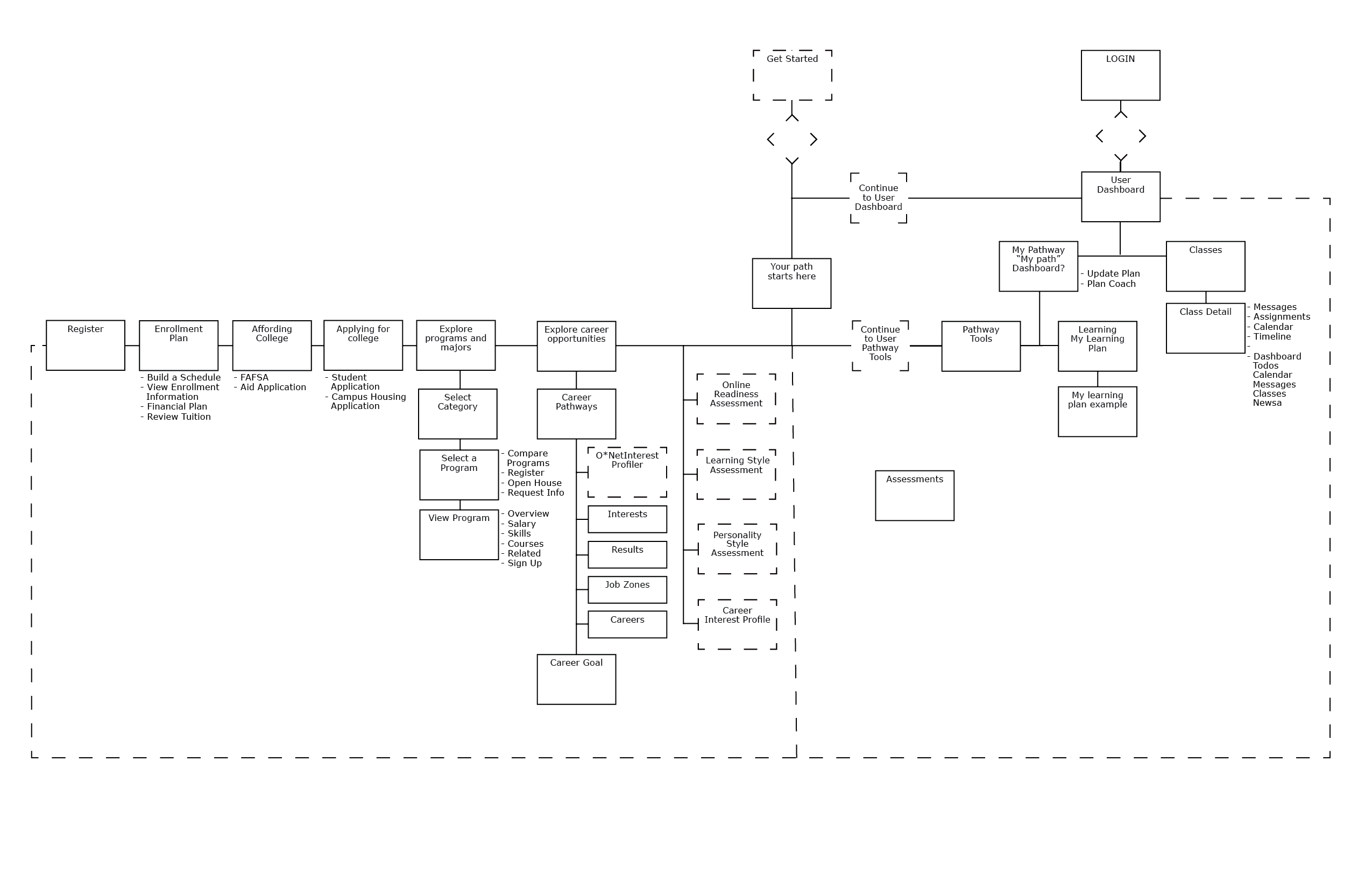
Pathways Project Sitemap
In the Pathways project, simple is not synonymous with easier. The sitemap is a streamlined card-based fully functional site/app that comes to life from a main dashboard.
∧
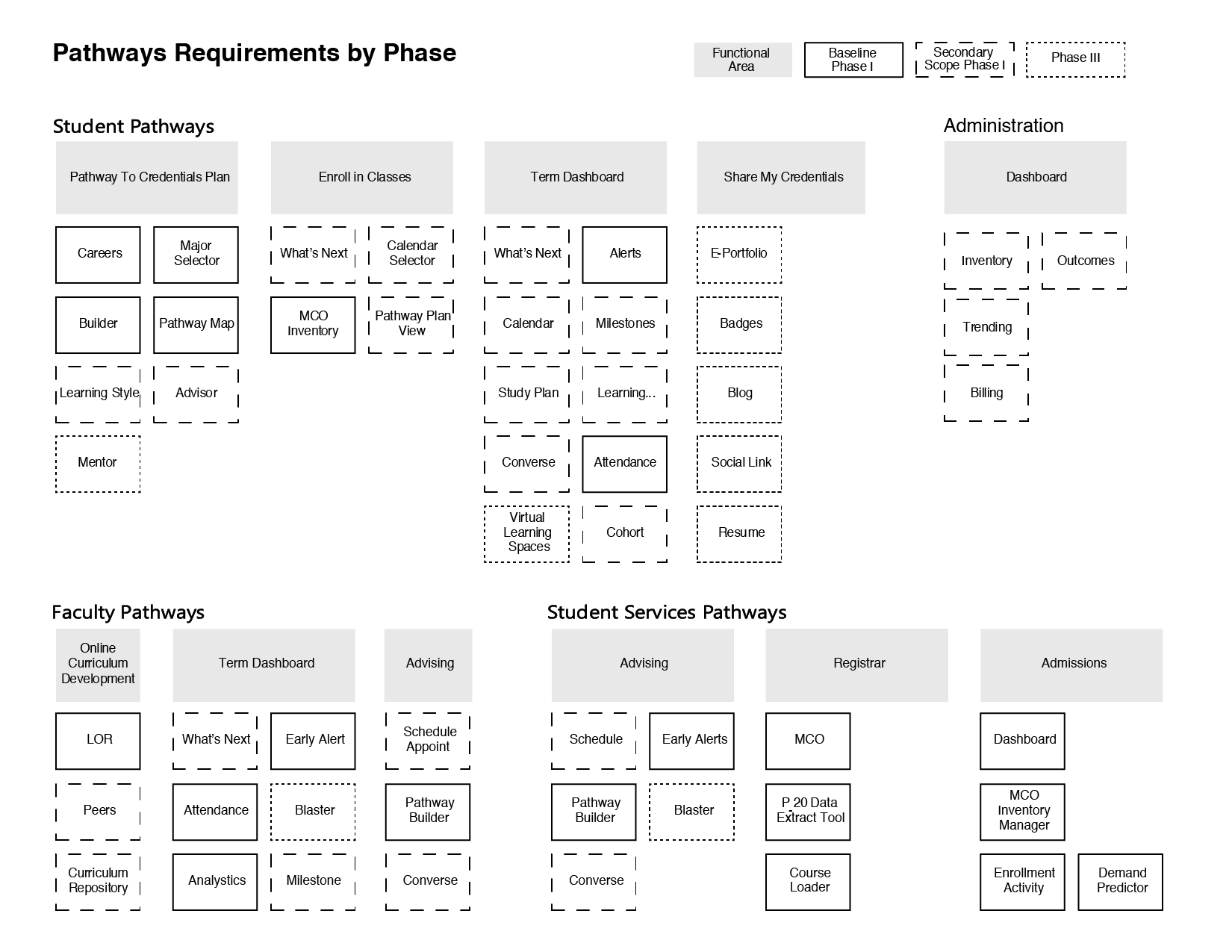
Pathways Project Requirements Phase Scope
∧
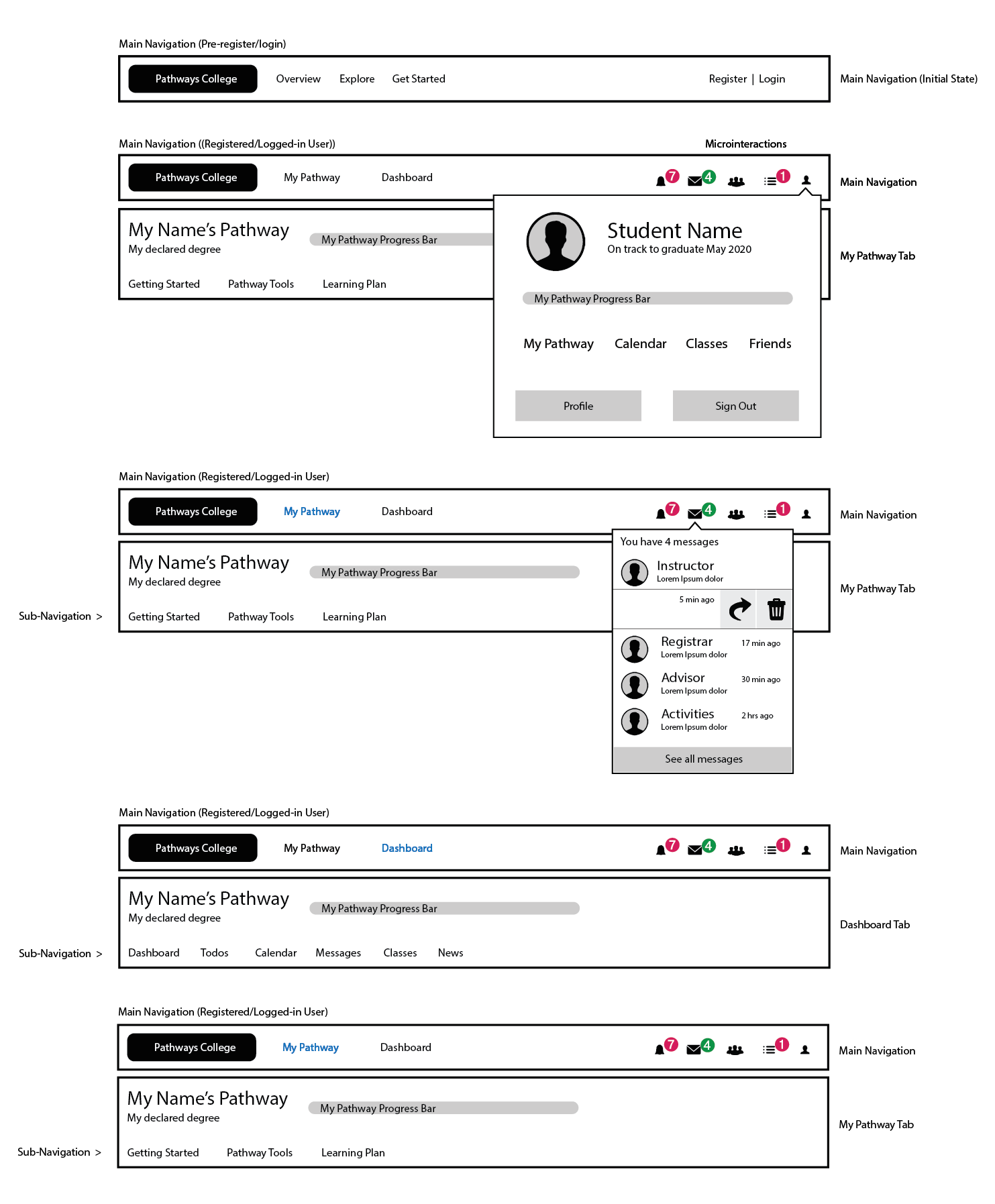
Pathways Navigation/Interface
There are three levels in the Student's Pathways Navigation; shown here the first two: a main navigation with two states —initial and registered/logged-in; and a secondary tab with second-level links —in My Pathway and main Dashboard areas. The interface also offers Micro-interactions such as Alerts (SNOOZE and GO), Messages (REPLY and DELETE), and Todos (COMPLETE and DELETE). A progress bar is a fixed element in the Pathways interface, always reflecting progress in the Pathways experience.
 ∧
∧
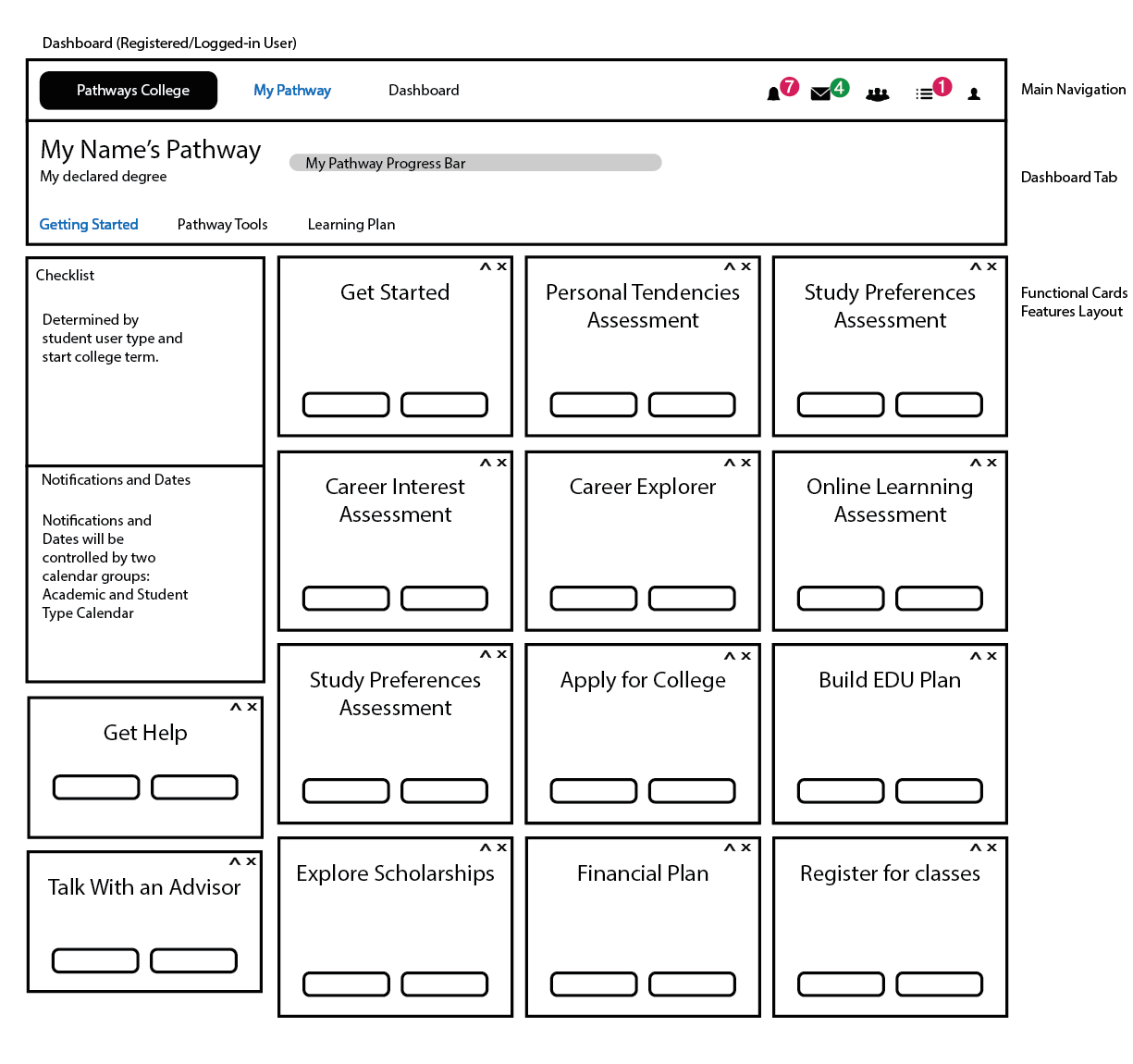
My Pathway, Main Wireframe
The third level of Pathways navigation happens below the second level tab. Shown below, the My Pathway dashboard. Adaptive, fully functional cards provide flat access to ALL the Pathways functions available to the user at any moment.
∧
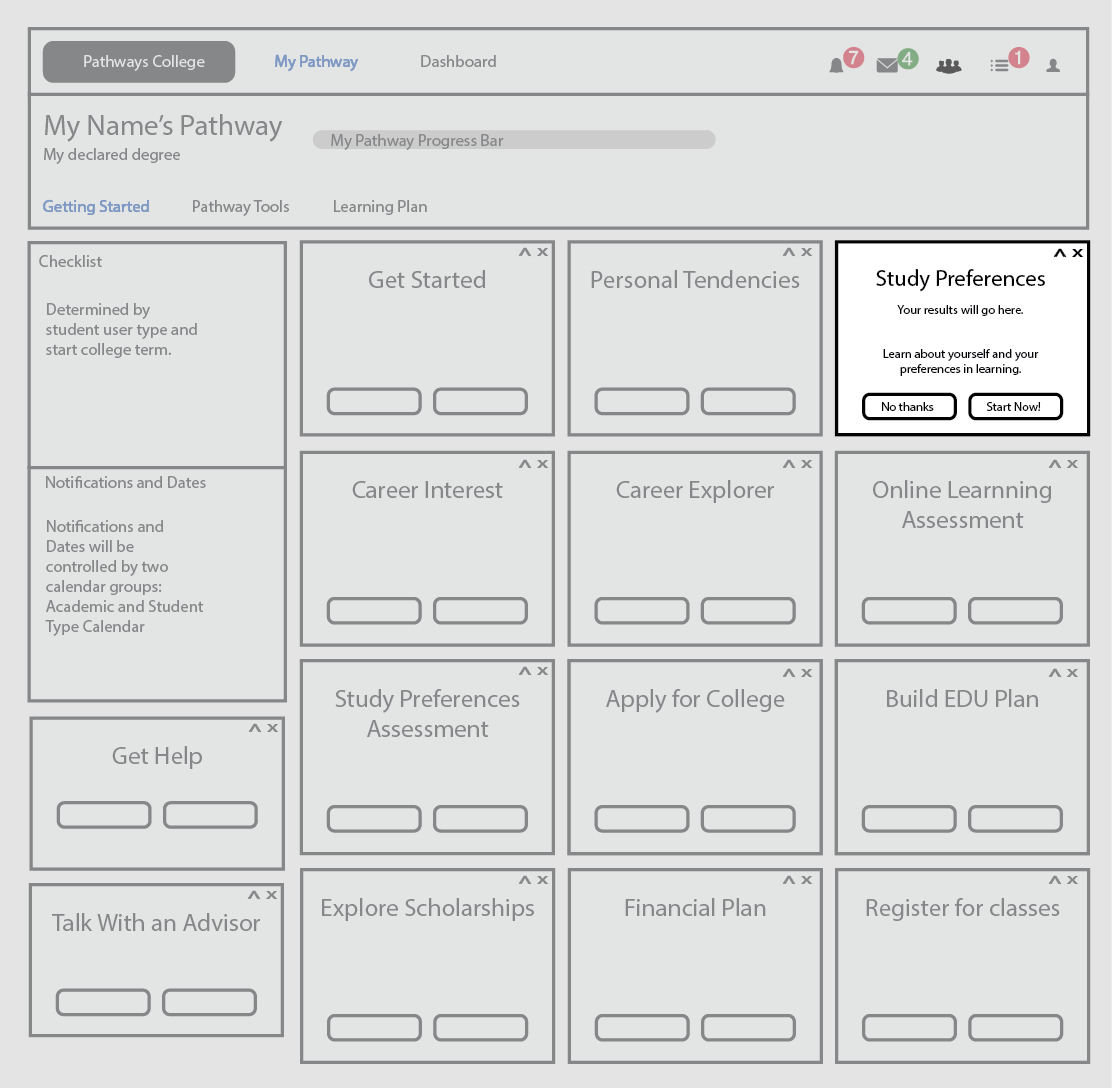
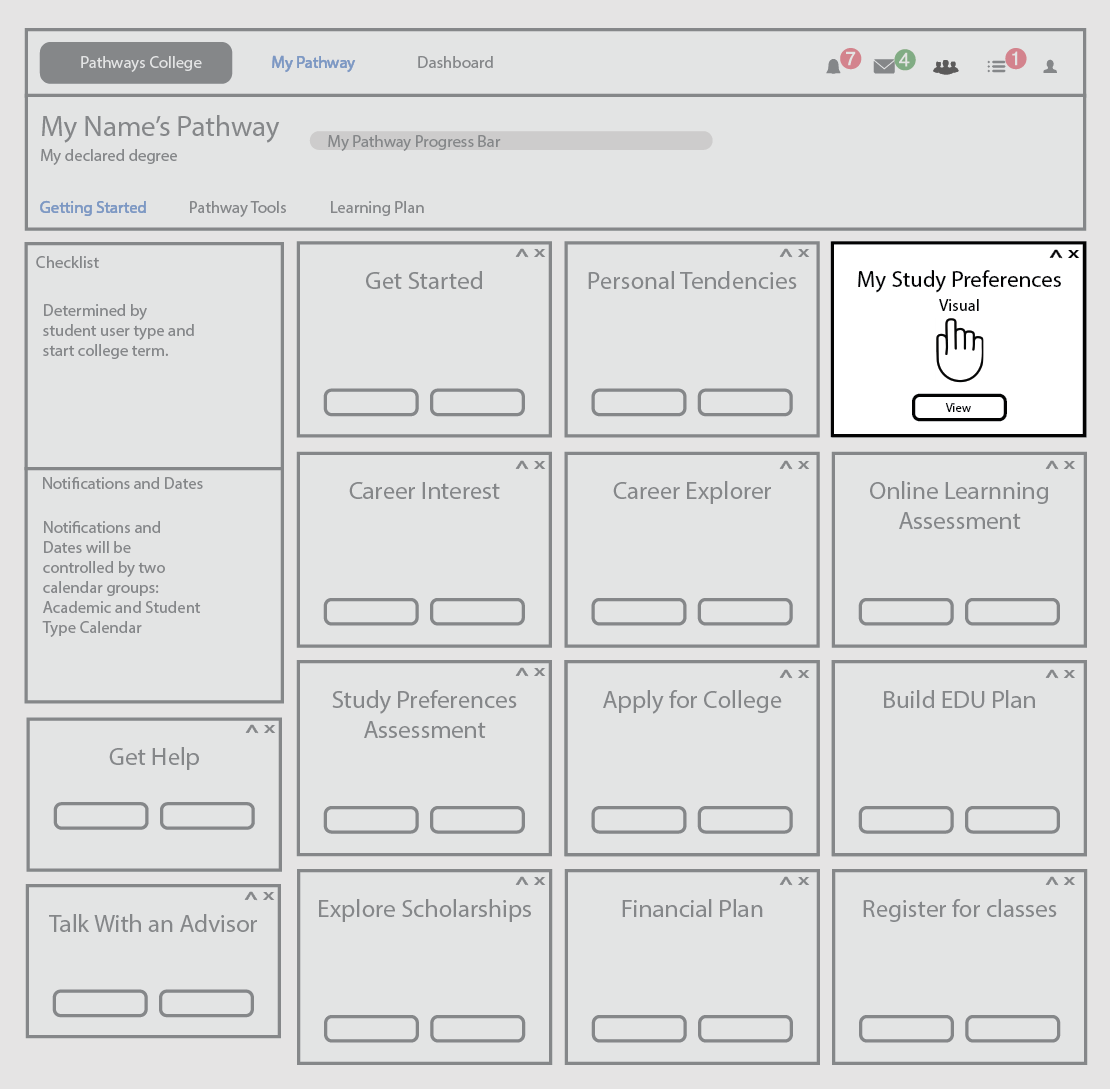
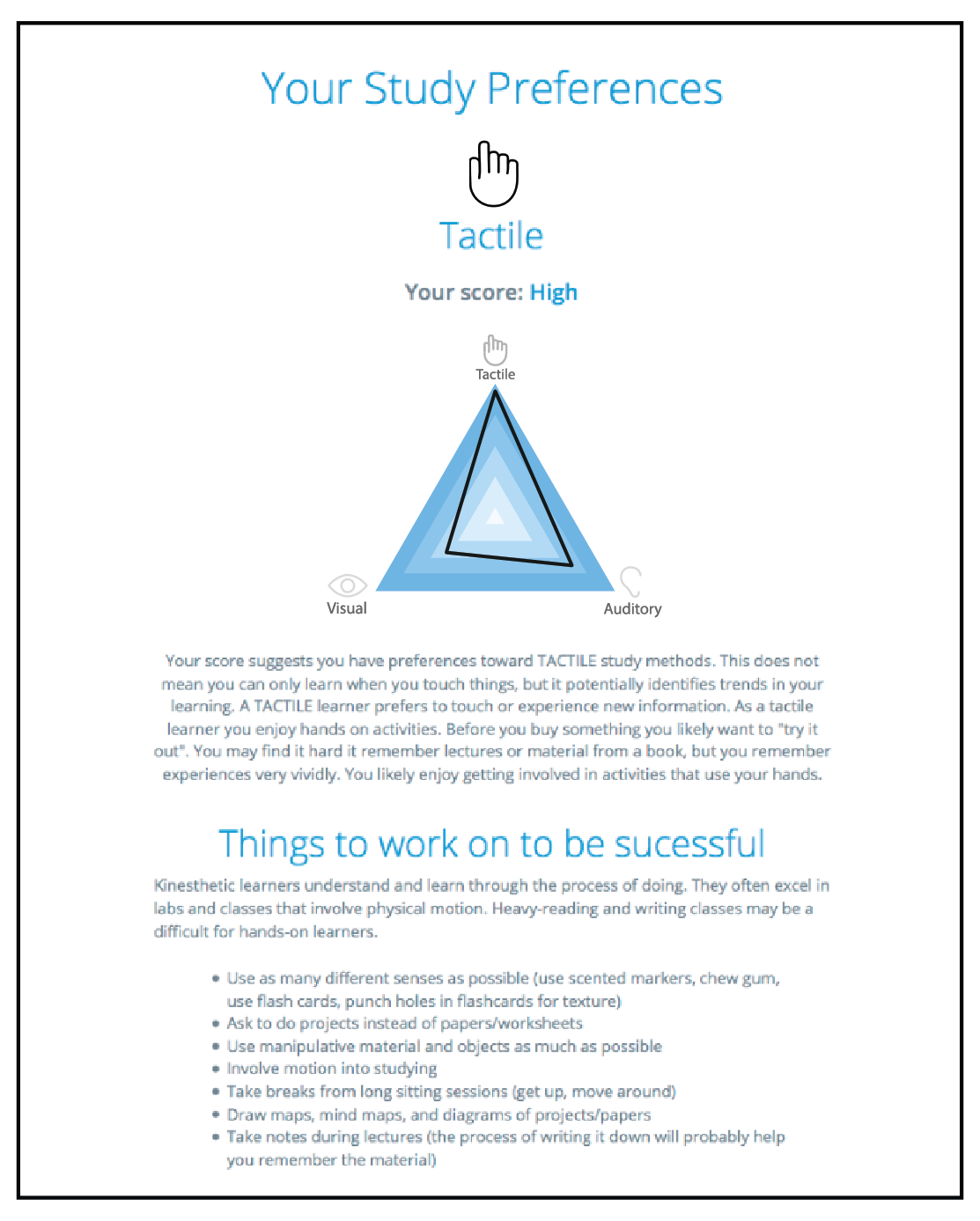
Cards States Sample
The main element of the "My Pathway" dashboard is the cards. Highly functional, the cards states change as the student progresses in his path. Whether academic progress or college processes, the cards can be resolved, viewed, moved around, hidden or restored. Shown below, the "Study Preferences" assessment card states. First unresolved, second stage showing the results; and the third image showing the results if the student chooses to view at any time after having taken the assessment.
∧
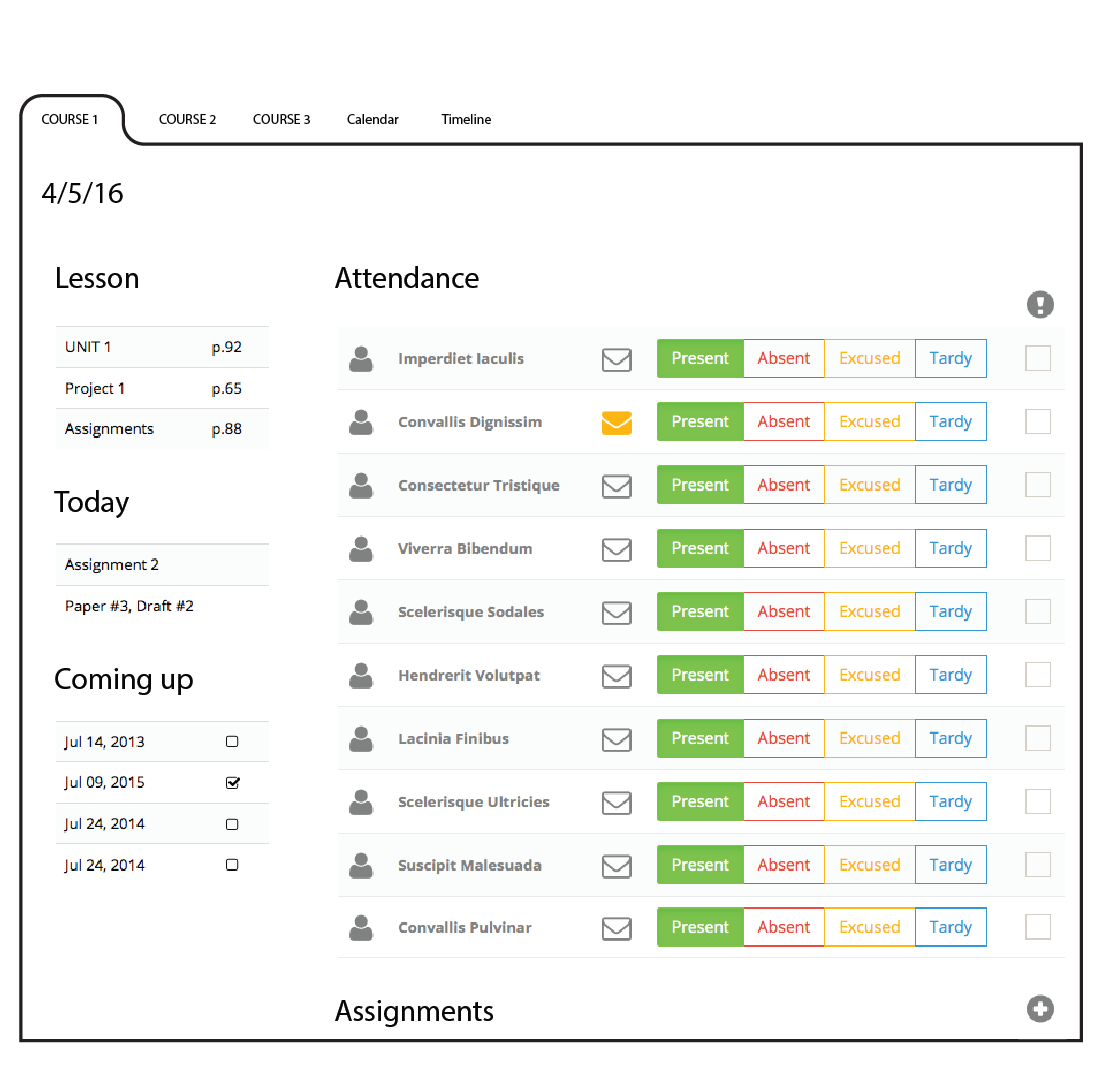
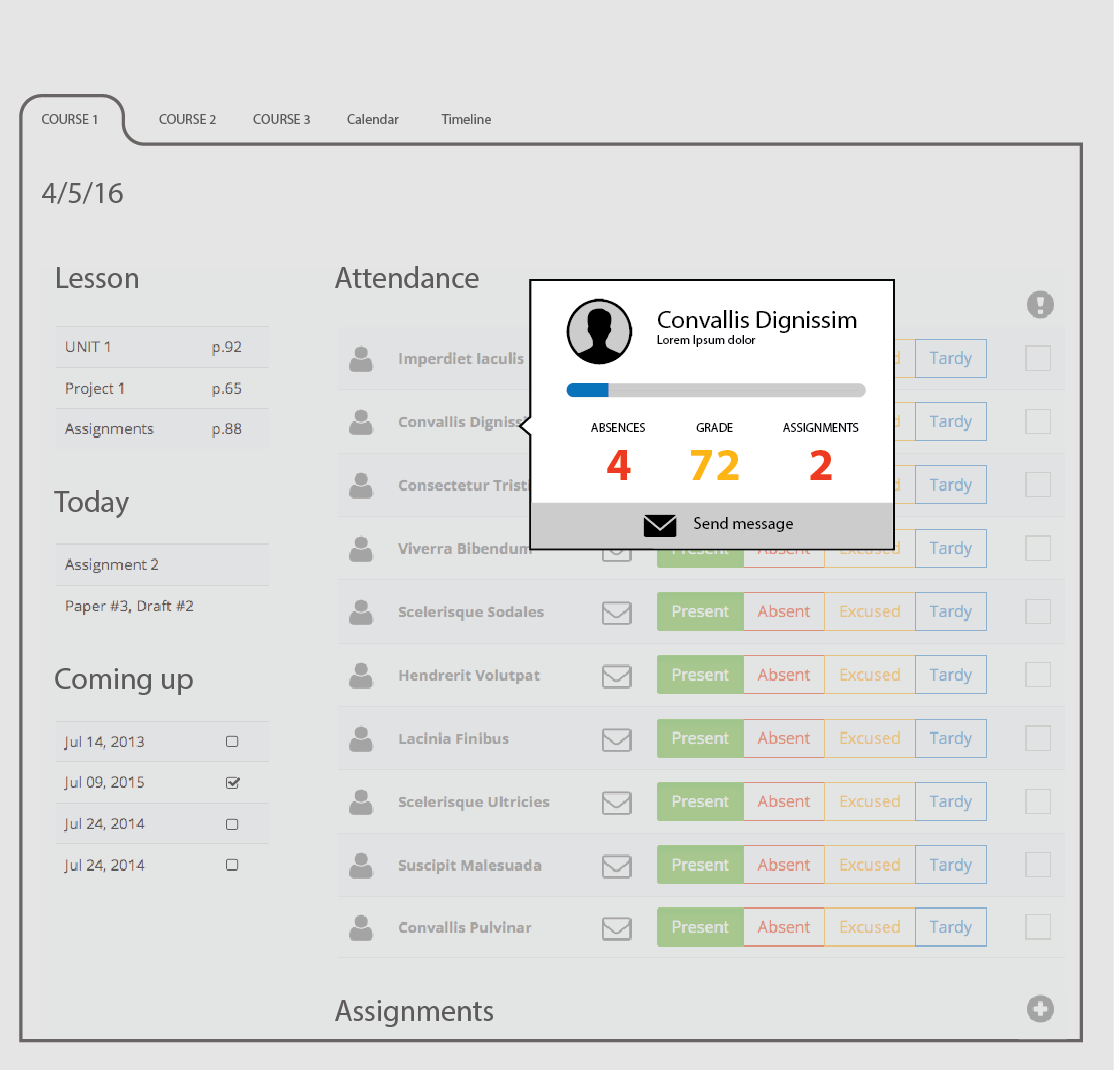
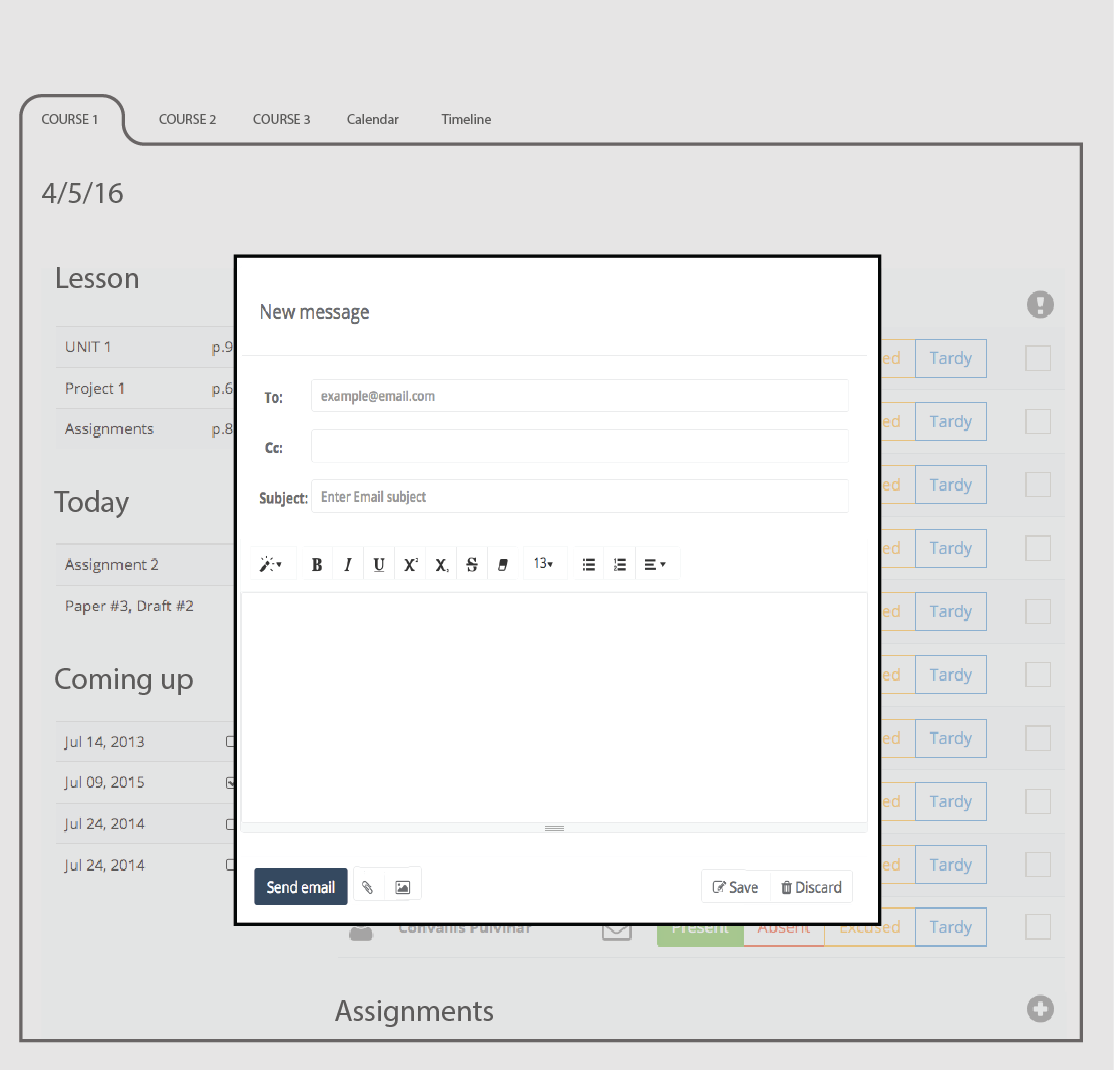
Faculty Course Overview Wireframe
The faculty dashboard is part of the the student relationship management system that supports the student engagement lifecycle, providing analytics and alerting tools to help shape student behavior.
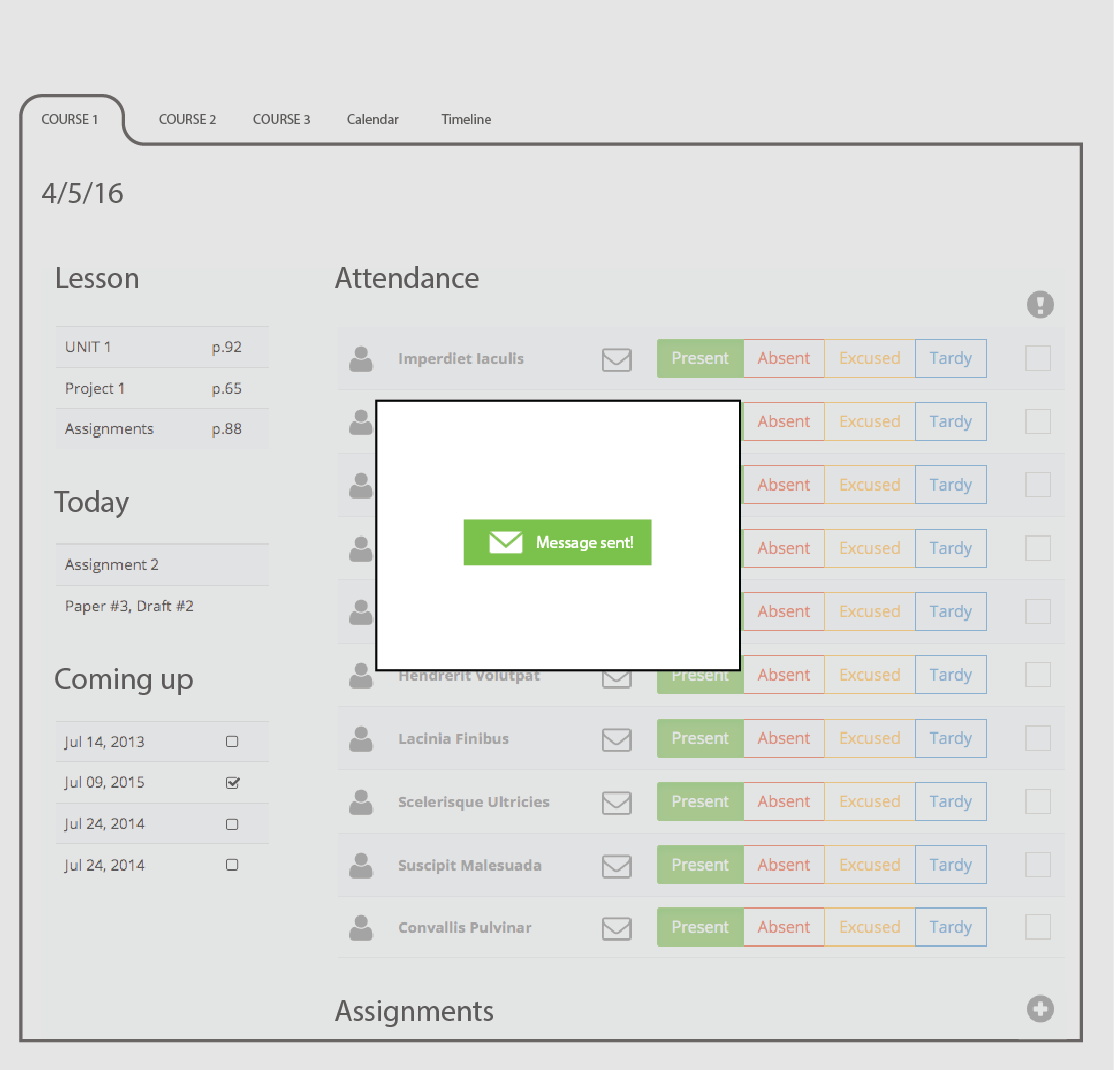
∧
Student Course Overview Wireframes
The student side of the student relationship management system, supports his engagement lifecycle, providing analytics and alerting tools to help student manage his performance.
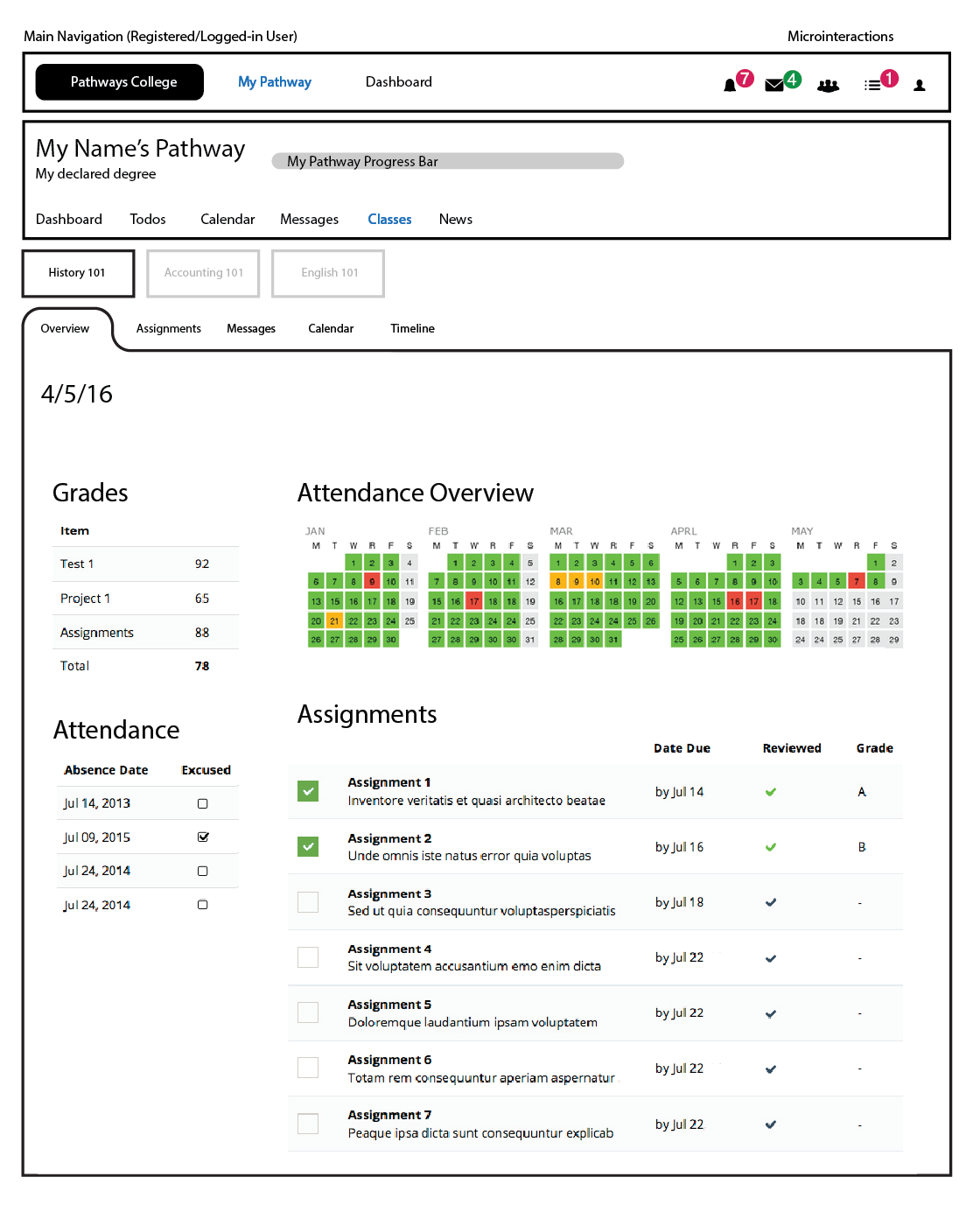
∧
Sample SVG Icon Font Set
Relying on a highly visual interface, custom icons as visual cues gain critical importance. I designed a custom scalable SVG vector icon glyph set for use in the site and app. Icons can be defined as CSS properties; sized as fonts.

∧
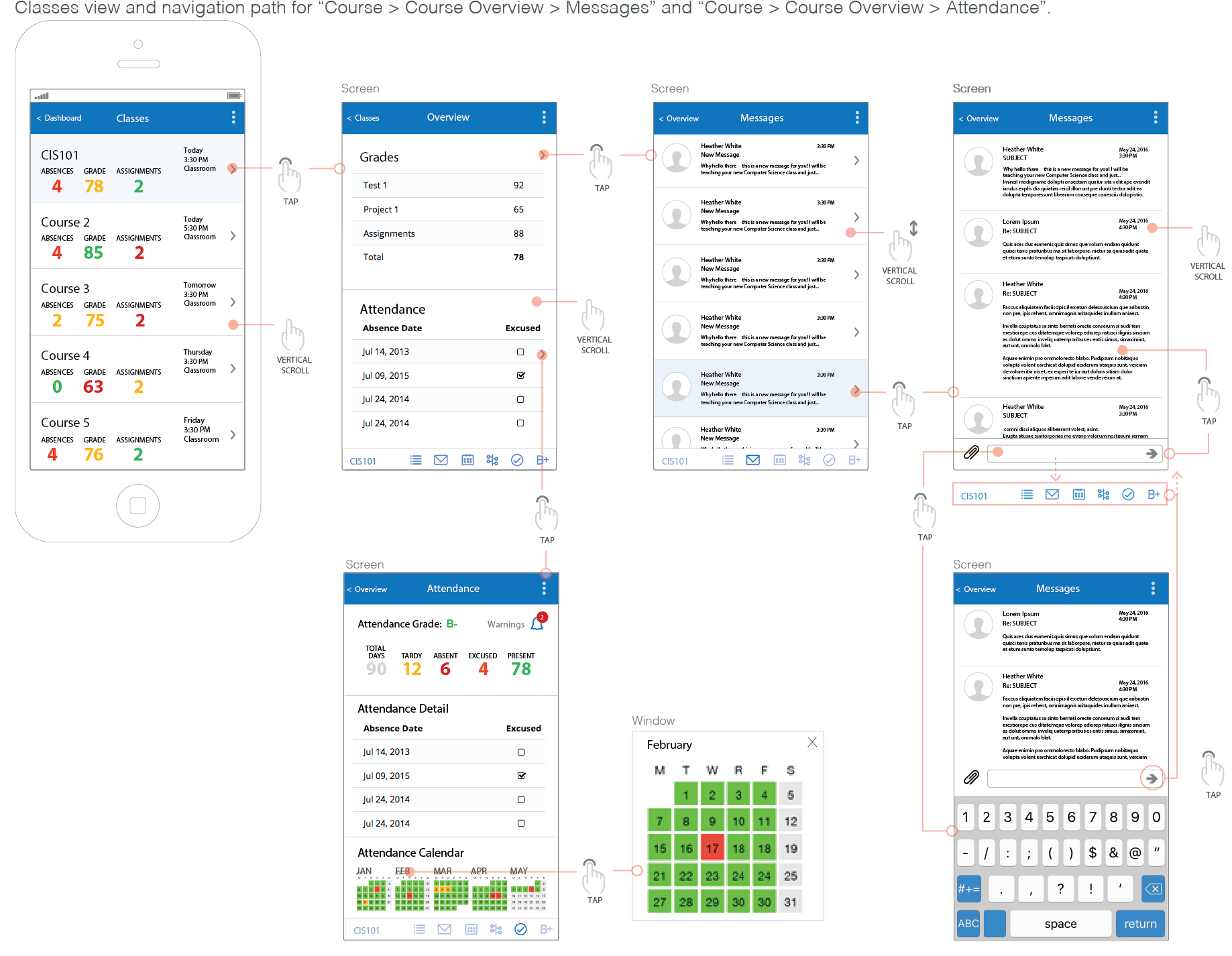
Mobile App Select Detailed Wireframes
With the mobile application, I applied a consistent design and same basic experience as with the website. The content, flow, structure, and core feature set has been kept consistent across the experience. Some adjustments have been made to accommodate device-specific attributes (screen size, interaction model, conventions...), but overall the experience can be fully enjoyed, in an independent manner, on any device.
As the variety of contexts across the experience had been mapped, and the roles each website and mobile plays in the overall system were taken into consideration, I was able to create a clear narrative for the mobile experience.
Note that these are very detailed wireframes for prototype, they do not represent the final visual appearance of the application.
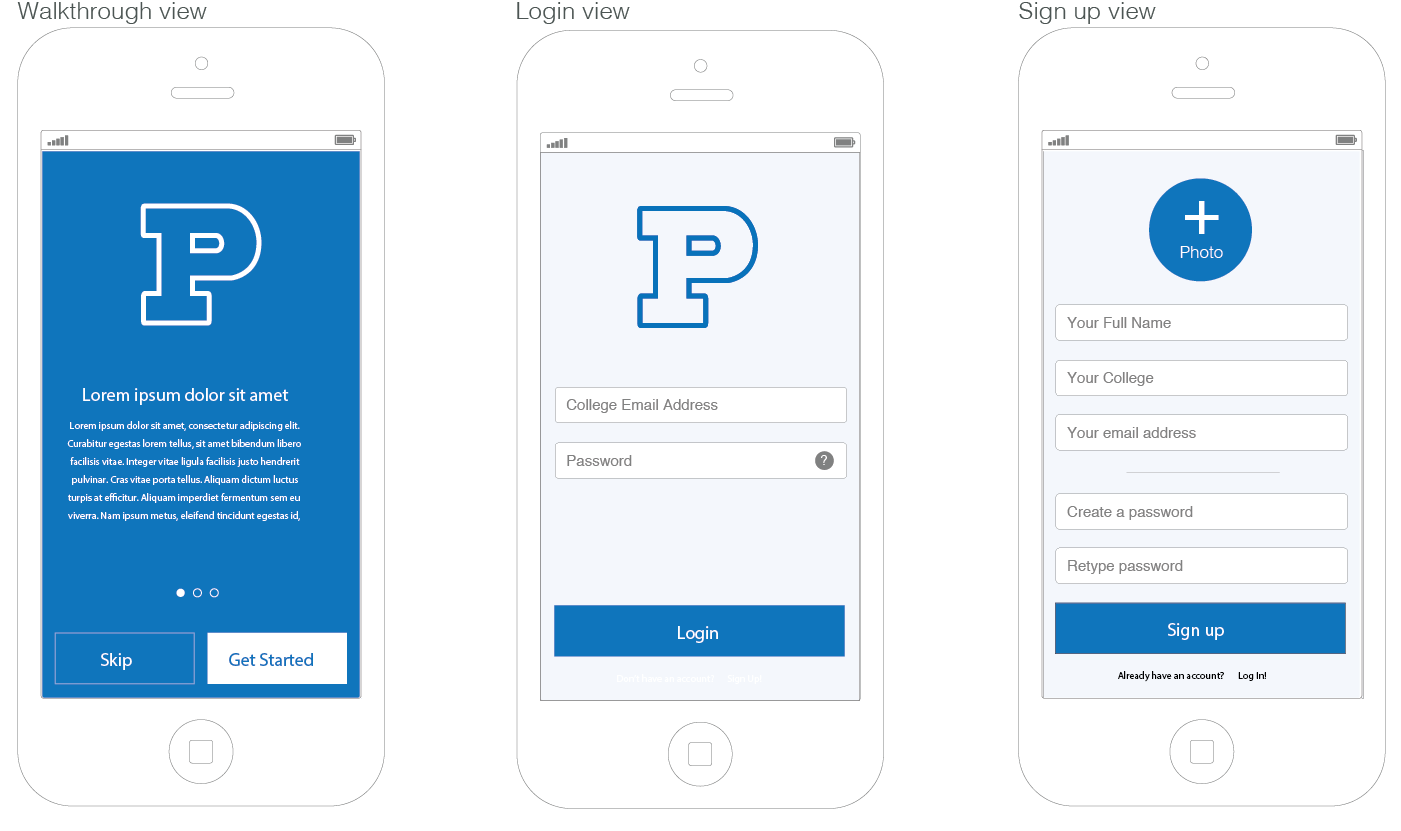
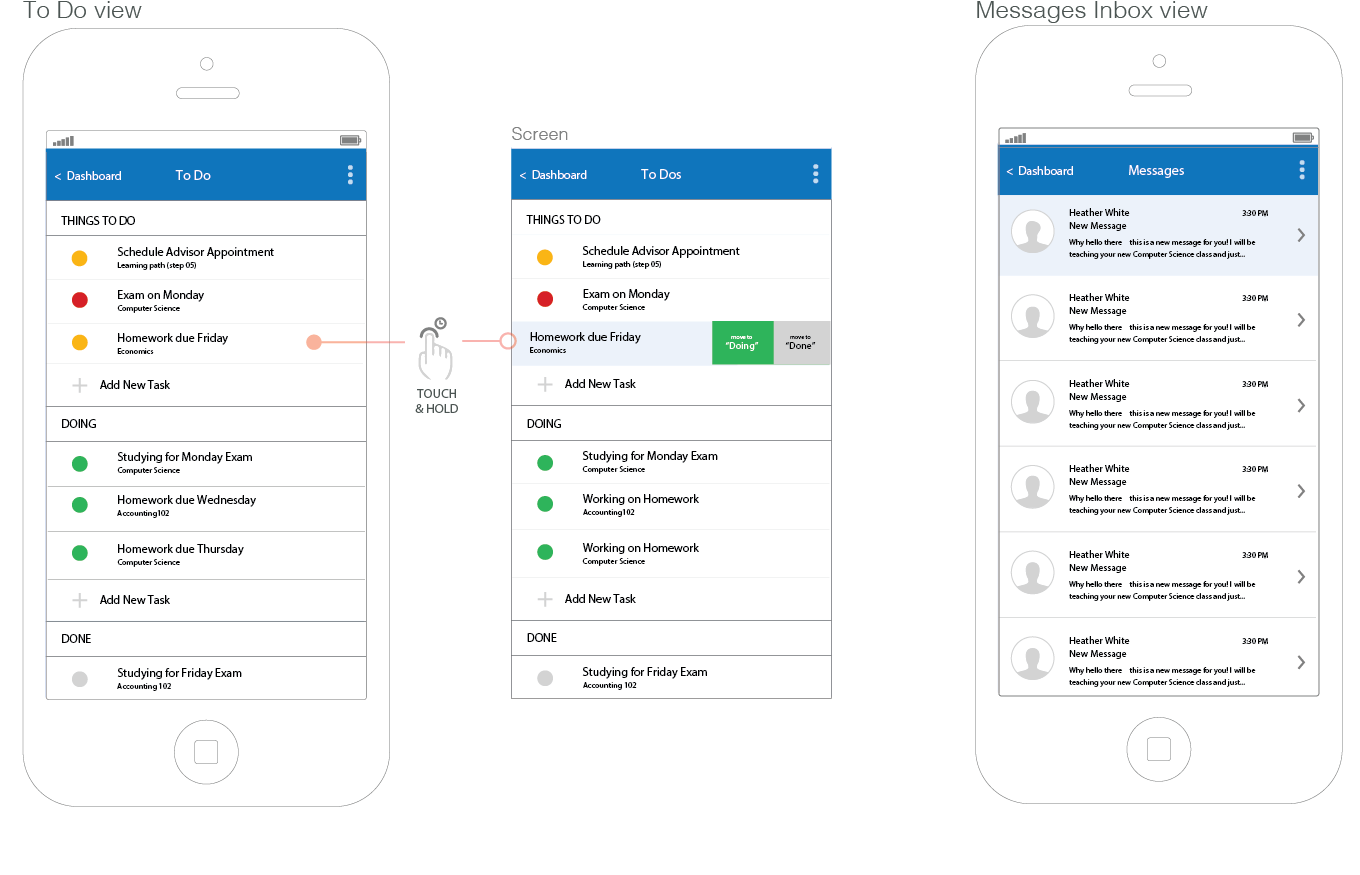
∧